Linux, RSI and the Endless Search for Ergonomics
My journey into RSI, Tiling Window Managers & setup aesthetics.
I grew up using just a laptop at my small desk in my childhood bedroom. I always had a knack for PC setup aesthetics. From Youtube videos, to Reddit posts, I envisioned this grand desk, with 3 monitors and a mechanical keyboard. A friend of mine used to have this Das Keyboard Professional, with two monitors and a huge Razer mousepad, but they were a PC gamer, and I played on consoles (PlayStation fanboy no less). And then came university.
How I convinced my parents that I needed a new laptop
It was 2021, during Covid, where I had to take an online test for a Dynamic Programming class on Python, using PyCharm and having a Zoom call open with screen sharing at all times. After around 5 minutes, my laptop with an HDD that couldn’t spin to save its life, ended up overheating and shutting Windows down. I had to actually have my mom’s laptop open for writing Python, and then hastily tried to re-write everything on my assignment page.
For better or worse, dynamic programming wasn’t really my strong suit back then, so it didn’t matter that much, but I ended up convincing myself that I needed a brand new laptop, since I had that old one for 5-6 years at that point. Summer was coming, so I thought I should get a summer job to get around a thousand Euros to get a new gaming laptop. My mom was supportive enough to tell me that if I managed to pass my classes in time, then she’d pay for the laptop herself, and was so sure of it that she gave me the money before I even took those classes (but hey, I passed, so thanks for that).
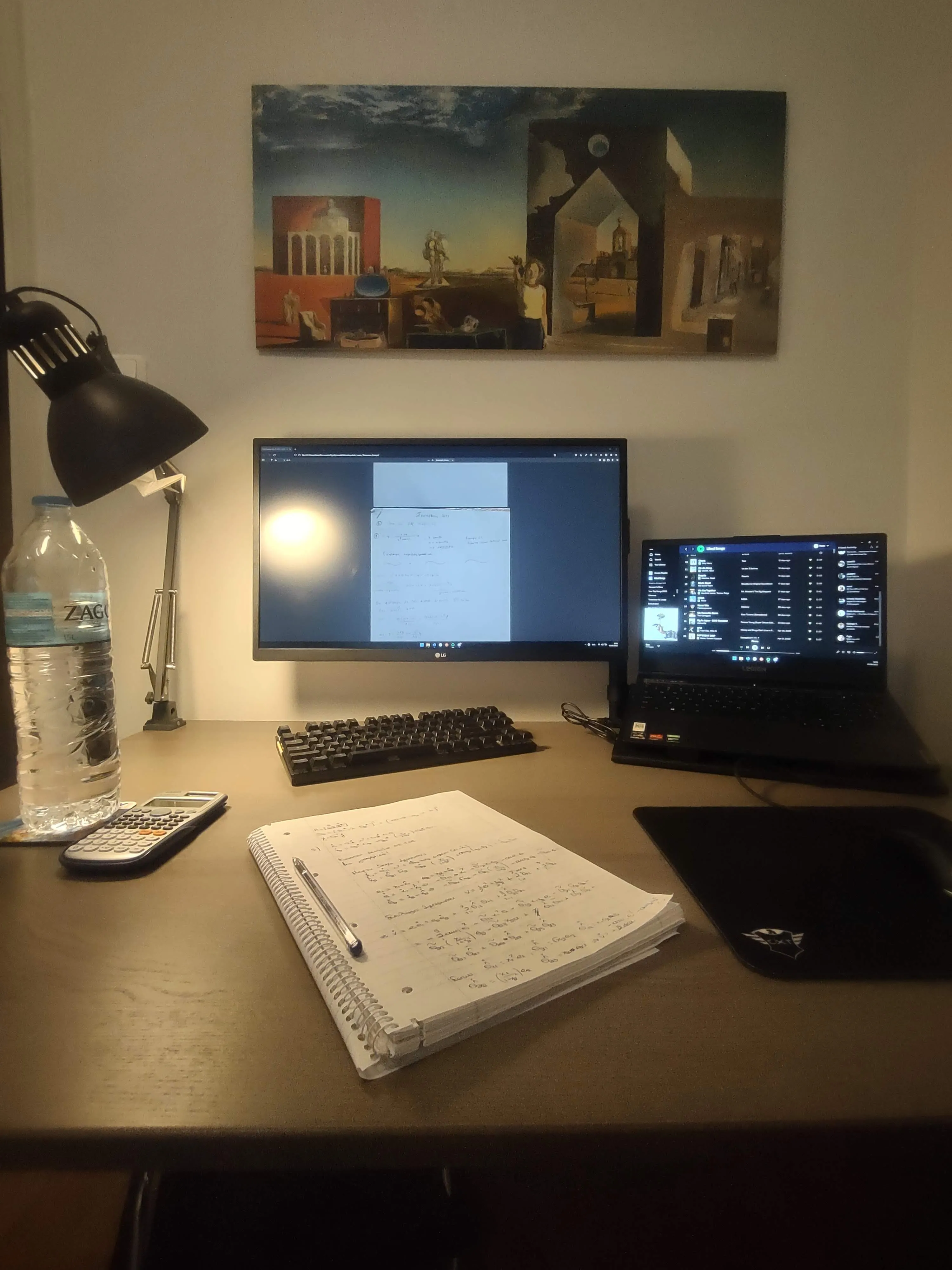
Studying for a Control System class with my new Lenovo Legion 5
The discovery of the penguin and tiling window managers
In April of 2022, my brother got a new job that required him to be on Ubuntu. During that summer, I walked into his room and saw that he was only using his keyboard to manage the windows. Snapping them left to right, maximizing them and every single new one that he opened snapped into place, and so my mind was blown. This was pop_OS!‘s shell. He raved on about how much easier the computer is to work with when you know where stuff is and how to get there, and so in mid-2023, I caved. I installed pop_OS! to dual boot with Windows, installed Alacritty, started using Vim motions on VS Code and started looking into ricing. But, being on pop_OS!, I really couldn’t install Hyprland, so I opted for i3, which a friend introduced me to.
There was one catch though: my friend was using EndeavourOS. An Arch-based distro. For a beginner like me, that sounded terrifying. During Christmas 2023, I installed QEMU on my Pop!_OS setup and started playing around with it in a VM. What I wasn’t expecting was how approachable EndeavourOS actually felt. It shipped with a ready-made i3 configuration, sane defaults, and the best AUR wrapper, yay.
Around March of 2024, I took the plunge and added Hyprland and started ricing it out. Live wallpapers, dynamic borders, you name it. I had all the needless, eye-candy things piled up in order to make it look mine, and then something starting feeling off.
Oh no, my arms
My left arm was beginning to sting like hell. Every day, after 20 minutes of writing, I would feel this stinging pain through my wrists. It got to the point where I legitimately thought I couldn’t sit at the computer anymore. I was just beginning to work as well, which made the whole thing incredibly demotivating. I couldn’t play videogames, I couldn’t program, I couldn’t even scroll on my phone without pain shooting up. I wansn’t sure what I was supposed to do. Pick up farming? With what hands?
I had just interviewed for Typesense and had an appointment with a orthopedist a week later. Tennis elbow, across both of my arms. Doc was impressed that I managed to go double or nothing.
My brother had experienced the same thing the year prior, and got into the rabbit hole of split keyboards. He landed on the Glove80, and me fearing that I would make a wrong decision by opting for something else, just bought it as well. 😅
That thing is phenomenal. I can’t speak highly enough of this keyboard. You can twist it, you can tilt it, you can toss it around your desk so it can feel natural, and it will let you. I added a symbol layer, Homerow mods, a mouse layer and anything else I could, and it just changed the way I work. Can’t comment on other ergonomic keyboards, but bless Moergo for this. My RSI is basically non-existent now, largely thanks to physio sessions and the Glove80.
Ditching the mouse (for good)
The only thing that actively held me back still was the mouse. I still had to leave the keyboard, click on a couple of things and get back when I’m on Slack or need to interact with something that isn’t the terminal.
I had come across a video on YouTube showcasing mouseless, but I wasn’t on macOS and they still hadn’t ported it to Linux (their Linux port targeted X11 first, with Wayland support arriving much later). I’m generally not the type of person to pay for software I deem to be better off as open-source, but the idea was genuinely intriguing. Displaying an overlay with a grid of two-letter combinations and being able to move the mouse wherever is amazing, finally being able to drop the mouse.
A friend suggested creating an open-source alternative for it in Rust, targeting Wayland. Here’s the thing though: by then, I’d alreaady gotten a MacBook Pro for work. And so, I ported it to macOS. It’s called stochos (from the Greek στόχος, literally meaning target or goal), and it’s available at GitHub. Credits to mouseless for inspiring this and if you want a more eye-pleasing and less terminal focused approach, you should totally use theirs, or neru. I’ve even contributed a small PR to neru when I was using it, before porting stochos to macOS.

Plo playing chess using stochos
What I really love about stochos is being able to track macros like you would do on Vim, and replaying them afterwards. A common pain point is nagging notifications on macOS and being able to quickly dismiss them all by pressing a couple of keypresses (alt+enter and then @a for me). Now that I think of it, maybe I’ll add a macro for every move of the Italian opening on chess.com
My setup now
So my setup now consists of a single 27-inch 4k monitor from LG, the Glove80, a MacBook Pro for work and a Dell Precision 5680 as my personal laptop. I still have a Desktop PC with Windows 11 just for gaming. I use Hyprland on Linux and Aerospace on Mac. Stochos on both, and recently started using live wallpapers using our newest tool with Plo, called phonto (φόντο, which means wallpaper in Greek). We really have to get more original at naming things.
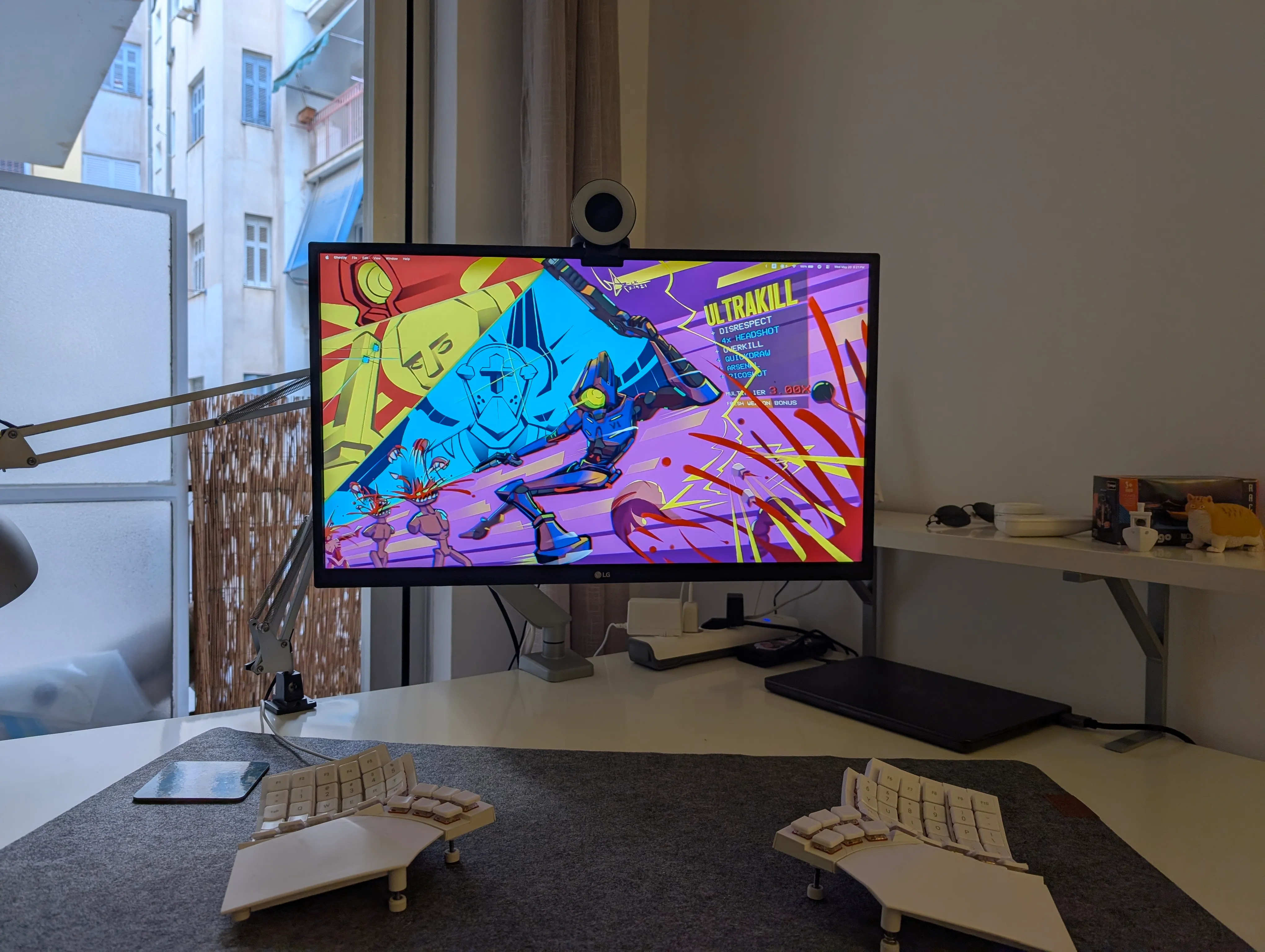
Do yourself a favor and play Ultrakill
I’ve come full circle from wanting a desk setup that would blind me with blue light, to a single monitor with keybinds to get me where I need to be. I still like ricing the hell out of it, though.